VMware Migration & Modernization
Reduce VMware Dependency Without Increasing Operational Complexity
Applied AI Consulting (AAIC) assesses, migrates, modernizes, and operates VMware workloads across AWS, Azure, Google Cloud, Kubernetes, and retained infrastructure.
Know what to keep. Know what to move. Know how you’ll operate it afterward.
Illustrative workload paths. The destination follows the assessment.
01 / Why now
Your Next VMware Renewal Is an Infrastructure Decision
Platform, licensing, and lifecycle changes make this a decision about your entire VMware environment. The decision reaches beyond the renewal: which workloads still belong, which should move, and whether the result will be easier to operate.
Separate renewal from workload decisions
Review support coverage, renewal terms, and application dependencies before committing to the next platform. Decide what to retain, migrate, modernize, or retire.
Explore workload decisionsOperations need a transition too
Dependency mapping, business continuity, operating practices, and workforce readiness belong in the migration plan from the start.
AWS transition guidanceBuild a supported business case
AWS offers VMware assessment and migration programs. Qualified migrations may be eligible for incentives, subject to program requirements and approval.
AWS VMware migration programs02 / Workload decisions
Don’t start with “Where should we move VMware?”
Start With “What Should Actually Move?”
We connect technical discovery to business ownership, criticality, cost, and recovery requirements. Keeping a workload can be the right decision. So can retiring it.
See a workload decision register01Keep
Keep workloads on VMware where it remains the right operational or economic choice.
- Decision signals
- Hardware dependencies, plant latency, investment still in use, or a strong existing operating model.
- Risk to resolve
- Confirm the supported platform version, renewal economics, recovery plan, and future review date.
- Possible target
- Retained VMware or a supported private infrastructure platform, with a named owner and review point.
02Rehost
Move suitable workloads with minimal application change.
- Decision signals
- Supported operating systems, well-understood dependencies, and a practical reason to move workloads off VMware.
- Risk to resolve
- Moving oversized VMs can recreate the same cost problem. Check network behavior and license portability.
- Possible target
- Right-sized virtual machines on Amazon EC2, Azure VMs, or Google Compute Engine, based on the workload decision.
03Replatform
Reduce infrastructure work by adopting managed services where compatibility allows.
- Decision signals
- Standard database or file-service requirements, supported engines, and manageable application changes.
- Risk to resolve
- Validate engine extensions, access patterns, backup behavior, and application compatibility before cutover.
- Possible target
- Compatible managed database or file services on AWS, Azure, or Google Cloud, after application and recovery validation.
04Modernize
Change application architecture where the business benefit justifies the work.
- Decision signals
- Active product development, deployable service boundaries, repeatable builds, and measurable maintenance overhead.
- Risk to resolve
- Separate migration deadlines from application redesign. Test state handling, scaling, and rollback paths.
- Possible target
- Containers, managed databases, or serverless components with CI/CD and observability built in.
05Retire
Remove infrastructure that no longer serves a valid business need.
- Decision signals
- No active business owner, replaced functionality, unused environments, or data already held elsewhere.
- Risk to resolve
- Low utilization alone is not permission to delete. Check retention, seasonal usage, audit needs, and dependencies.
- Possible target
- Owner-approved decommissioning with archived data and evidence of dependency checks.
06Investigate
Pause the destination decision until the workload is understood.
- Decision signals
- Unknown ownership, missing traffic data, undocumented integrations, or unclear business criticality.
- Risk to resolve
- Treating an unknown workload as low risk can break a business process that nobody mapped.
- Possible target
- A time-bounded discovery backlog with an accountable owner, evidence gaps, and decision criteria.
03 / The AAIC approach
Decide Transform Operate
Migration is one phase. The infrastructure decision starts before it, and operational responsibility continues afterward.
Decide
Understand your VMware environment and workloads before choosing destinations.Connect inventory and utilization to the people, applications, and business processes that depend on each workload.
What we assess and deliver
- VMware inventory and resource utilization
- Application dependencies and business ownership
- Workload criticality and operating-system constraints
- Licensing and security requirements
- Recovery objectives and cloud readiness
- Migration risk and target economics
A workload-level decision register, business case, and migration roadmap.
Transform
Move each workload through the right transformation path.Establish the target foundation, prove a pilot, then migrate in dependency-aware waves. Retain what should stay and retire what is no longer needed.
What we assess and deliver
- Landing zone and identity controls
- Rehost or replatform with compatibility validation
- Selective containerization and application modernization
- Infrastructure as code and deployment pipelines
- Recovery rehearsals and rollback gates
- Business validation before decommissioning
Tested workloads, a controlled cutover, and an accepted operational handover.
Operate
Make the resulting environment easier to run.Define ownership across AWS, Azure, Google Cloud, retained infrastructure, Kubernetes, managed databases, SaaS, monitoring, and ITSM before the migration finishes.
What we assess and deliver
- CloudOps and platform ownership
- DevOps and SRE runbooks
- FinOps budgets and cost allocation
- Monitoring and incident escalation
- Backup and disaster-recovery tests
- OpsRabbit-assisted investigation with engineer review
An operating model with service ownership, runbooks, cost visibility, and evidence-backed investigations.
Start with the decision you need to make.
A focused assessment of your VMware environment and workloads, a migration wave, a modernization workstream, or managed operations. We agree the scope, acceptance criteria, owners, and commercial model around that need.
04 / Day-2 operations
Migration Doesn’t End at Cutover
After transformation, operational context can sit across cloud services, containers, retained systems, monitoring, and ITSM. A better platform can still be harder to investigate.
Our engineers support the environment through CloudOps, DevOps, SRE, and FinOps. OpsRabbit helps correlate evidence and structure investigations across connected systems, with engineer review before action.
See OpsRabbit Operations Intelligence- Evidence
- Correlation
- Likely root cause
- Recommended next action
Follow the investigation workflow
- Application latency: a monitoring alert identifies the affected service and time window.
- Infrastructure context: review available cloud, Kubernetes, and retained-system signals for that window.
- Change context: compare recent deployments, configuration changes, and relevant incident history.
- OpsRabbit assistance: correlate the accessible evidence, identify a likely cause, and outline the next checks. Missing evidence remains an explicit gap.
- Engineer decision: AAIC validates the findings and selects remediation, escalation, or further investigation. A correlation is not proof of causation.
Plan the Move and the Operations After It
Bring your VMware workloads, renewal questions, and operational priorities. Let’s work through the options.
05 / The right destination
AWS, Azure, Google Cloud, or Kubernetes. Start With the Workload.
We support migration and modernization across cloud platforms and retained infrastructure, comparing application compatibility, dependencies, licensing, recovery needs, cost, and your team's ability to operate the result.

AWS
Rehost on EC2, adopt managed data services, or modernize selected applications on ECS or EKS. Connect the landing zone, migration waves, recovery, and ongoing operations.
AWS migration guidance
Microsoft Azure
Assess VMware dependencies and readiness with Azure Migrate. Plan compatible Azure VM destinations, identity, networking, security, cutover, and operational handover.
Azure migration guidance
Google Cloud
Evaluate Compute Engine rehosting and selective application modernization. Use Migration Center and Migrate to Virtual Machines where they fit the inventory and migration requirements.
Google Cloud migration guidance
Kubernetes & Containers
Containerize suitable applications on EKS, AKS, GKE, or an appropriate on-premises platform. Kubernetes is a modernization path, not a drop-in replacement for every VM.
Kubernetes production guidanceOur AWS Advantage: Partner Expertise + Migration Programs
AAIC is an Amazon Web Services Advanced Consulting Partner. When AWS is the right fit, we bring that delivery experience and help evaluate OLA and MAP eligibility. Program benefits strengthen the business case; they do not determine the destination.
AWS Optimization and Licensing Assessment
AWS OLA evaluates resource usage, licensing, and dependencies to inform an AWS business case. It helps test whether the target economics justify a move.
Explore AWS OLAAWS Migration Acceleration Program
MAP offers migration methods, tools, resources, and training for VMware transitions. Eligibility and any incentives depend on the proposed migration and AWS approval.
Explore AWS MAPAWS Transform for VMware
AWS Transform can assist discovery, dependency mapping, wave planning, network conversion, and server rehosting. It is an AWS service, used where its supported capabilities fit the plan.
Read AWS Transform capabilities06 / Migration case study
VMware Data Center AWS Cloud
For an industrial manufacturing company, we connected workload assessment, selective migration, and operational ownership across its VMware environment. The customer remains anonymous.
Engagement outcome
30% lower infrastructure TCO over 3 Years
A workload-by-workload plan reduced unnecessary migration, addressed oversized capacity, and retained systems with operational constraints.
- 14 workloads retired instead of migrated.
- 23 workloads rightsized before placement.
- 24 workloads selected for application modernization.
- Six controlled workload waves after the foundation phase.
AAIC migration case studies
Workload Decisions. Modernization. Operations.
Explore our work across industrial manufacturing, B2B software, and hybrid operations. Each case study covers the engineering approach without identifying the customer.
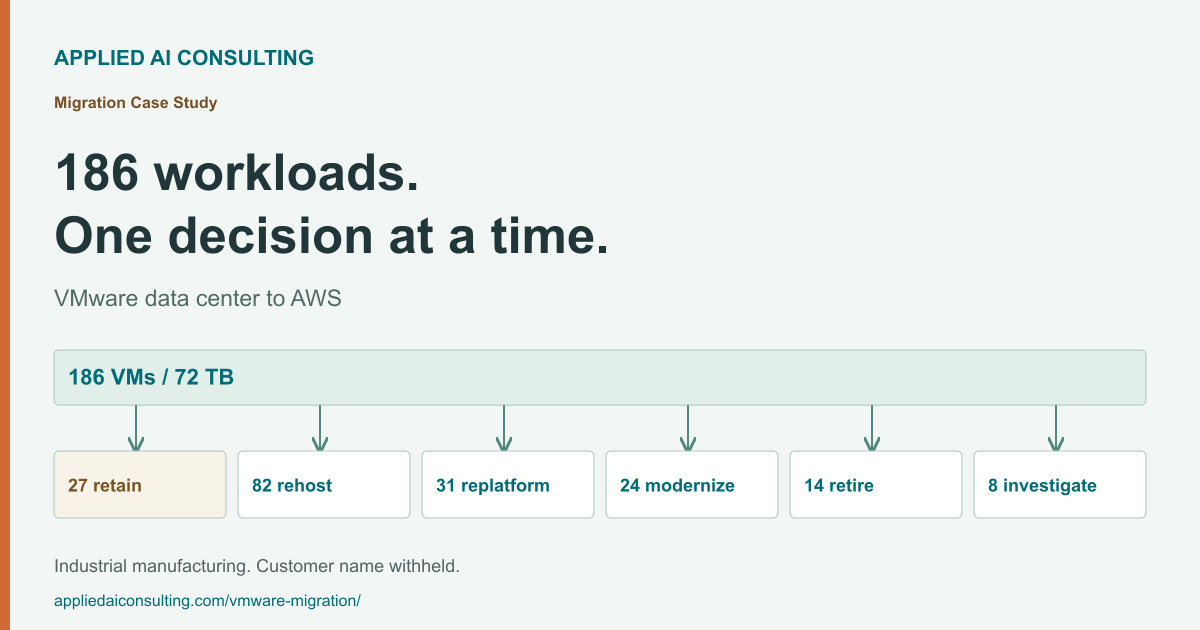
Migration Case Study
A workload-by-workload data-center migration
Industrial manufacturing · 186 VMs · 72 TB
Workload dispositions, six migration waves, retained plant systems, and a 30% reduction in infrastructure TCO over 3 years.
Read case study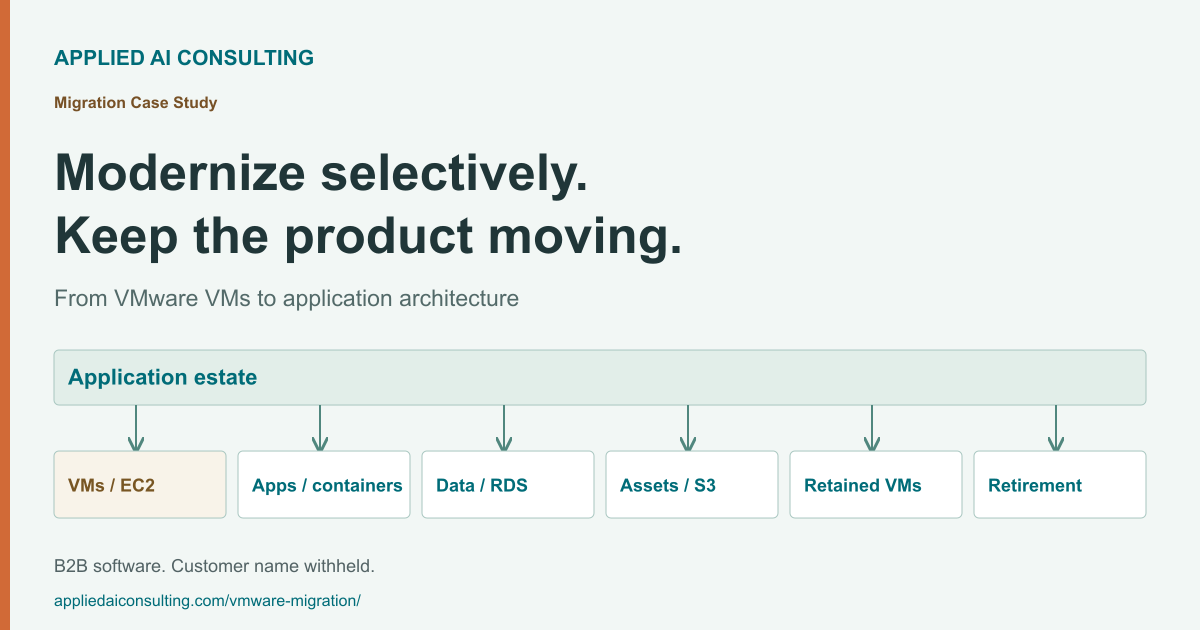
Migration Case Study
Selective application modernization
B2B software · approximately 120 workloads
How AAIC aligned 120 source workloads with EC2, containers, managed databases, and retained systems while keeping modernization selective.
Read case study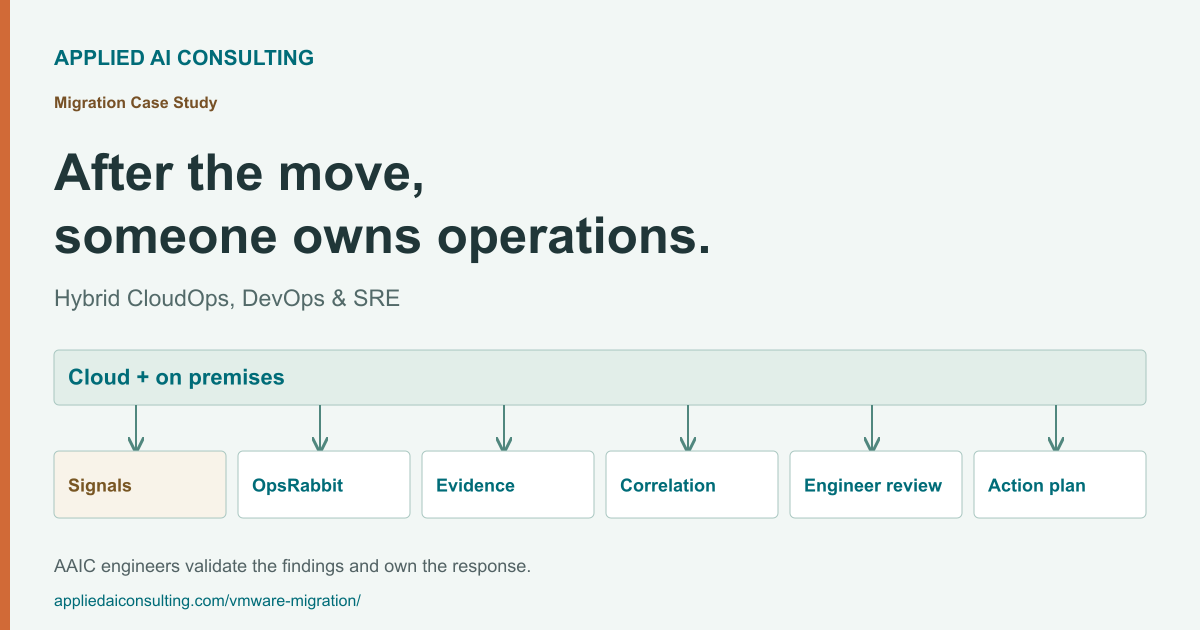
Migration Case Study
Operating the hybrid environment afterward
Hybrid operations · AAIC engineers + OpsRabbit
AAIC SRE ownership and OpsRabbit-assisted investigation connect cloud, Kubernetes, retained infrastructure, monitoring, and service history.
Read case study07 / More migration stories
Other AAIC Migration & Modernization Stories
Explore more of our cloud delivery work, including Azure-to-AWS modernization, batch-processing migration, and application operations.
Customer experience management platform
Azure to AWS infrastructure modernization
AAIC's published case study describes EKS, managed PostgreSQL, infrastructure security, and application deployment. It reports 40% operational cost savings for that engagement.
Read the published engagementContent marketing platform
Rundeck to AWS Batch
The engagement reports a 70% operational cost reduction from batch-processing modernization, with CloudWatch monitoring and workflow automation.
Read the published engagementContent marketing technology platform
Migration and application operations on AWS
AAIC helped a content marketing platform migrate applications, automate deployments, and modernize operations on AWS, connecting infrastructure change to ongoing application support.
Read the published engagement08 / Practical answers
VMware Migration FAQs
Workload decisions, cloud and Kubernetes options, migration risk, economics, and operational continuity.
What is VMware migration and modernization?
Why should an organization evaluate VMware alternatives?
Do all VMware workloads need to move to the cloud?
How do you decide which workloads to retain, migrate or modernize?
What migration options are available besides a full VMware exit?
Can AAIC migrate VMware workloads to Azure or Google Cloud?
Is Kubernetes a replacement for every VMware virtual machine?
Can VMware workloads migrate to AWS without retaining the VMware platform?
How long does a VMware migration take?
What drives the cost of VMware migration and ongoing operations?
What is an AWS Optimization and Licensing Assessment, or OLA?
What is the AWS Migration Acceleration Program, or MAP?
Is AWS migration funding automatic for VMware customers?
Must applications be rewritten as part of a VMware migration?
How are application dependencies handled before migration?
How do you plan downtime and rollback during cutover?
How should disaster recovery change when VMware workloads move?
How do you operate a phased or hybrid environment after migration starts?
When does vSphere 8 support end, and what should we plan for?
Your next infrastructure decision
Before Your Next VMware Decision, Know Your Options.
Understand what should stay, what should move, what should modernize, and what the resulting environment will cost and require to operate.
VMware strategy session
Let’s Talk About Your VMware Workloads
Tell us a little about your environment. We’ll use the first conversation to understand what should stay, what could move or modernize, and whether there’s a business case worth pursuing.
Only your name, work email, company, and role are required. The environment questions are optional.
Loading the VMware strategy session form…
The form could not load. or email our team.
We’ll use these details to respond to your request.